The short answer: Gatterie fits when you want to browse existing photos, videos, documents and 3D files visually, without an import or catalog. digiKam is another option when you want to catalog your photo folders as collections. XnView MP provides image browsing and batch tools. Apple Photos can leave originals outside its library, while still requiring them to be imported into its overview.
Keeping folders: what does that mean?
Leaving files in place is only one consideration. Also check whether a catalog is needed, where ratings and edits are stored and what happens when you rename a folder in Finder. An app can leave photos in place and still maintain its own database.
| App | Existing-file workflow | Check before switching |
|---|---|---|
| Gatterie | Displays existing folders directly, without an import or catalog. Does not move, delete or rename files. | A visual overview of mixed file types; no migration of Picasa albums or edits. |
| digiKam | Existing folders are added as collections; management information is kept in a database. | Does the catalog workflow suit your photo archive? Also check where the database is stored. |
| XnView MP | Image views, metadata and batch tools for browsing and processing images. | If you want batch operations, check their effect on your files and the appropriate license. |
| Apple Fotos / Photos | Referenced originals can stay outside the library; the photos are still imported into Photos. | Apple states that referenced files are not synced through iCloud Photos. |
When Gatterie fits your collection
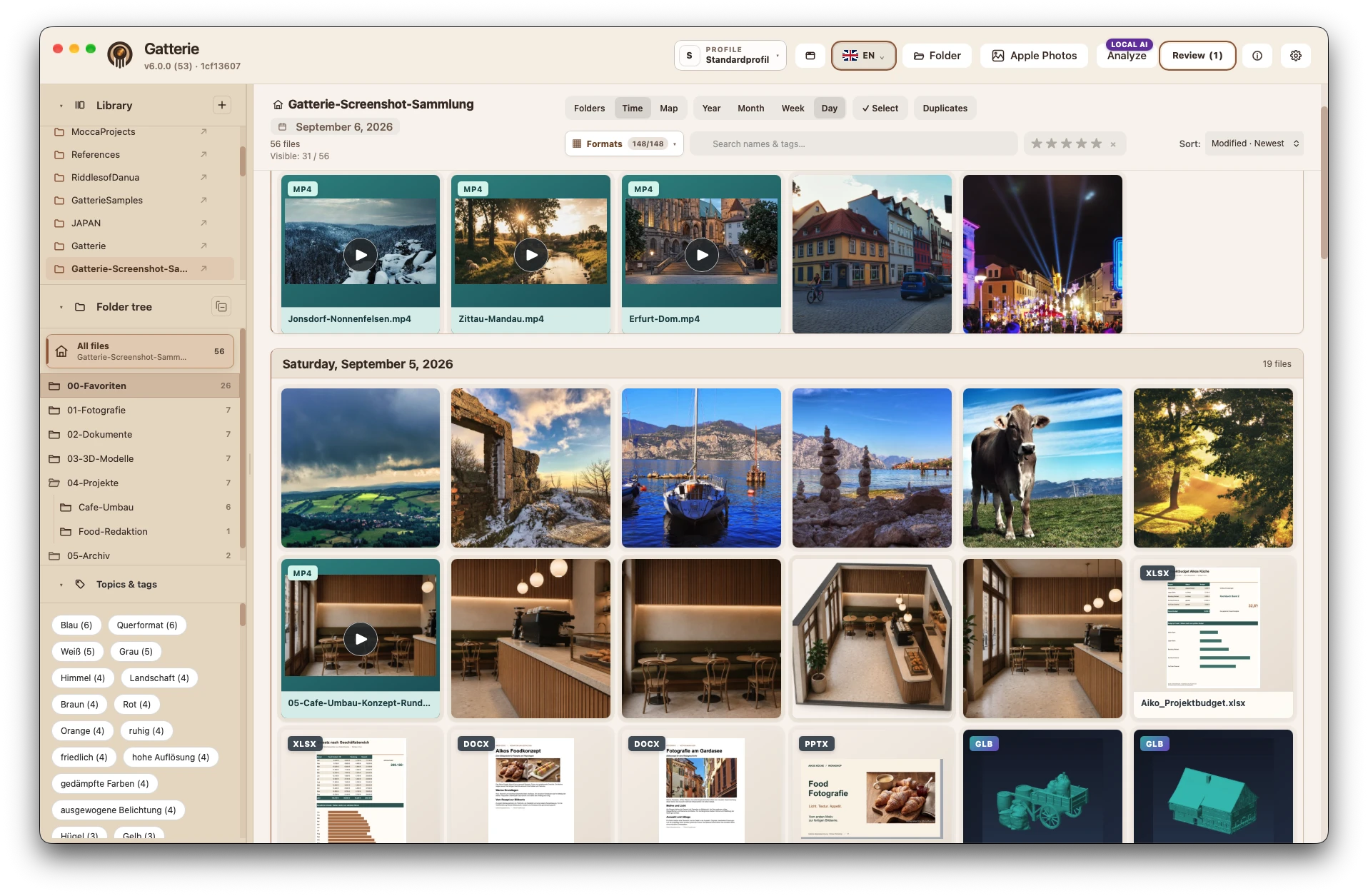
Gatterie is a visual file library with GPS photo maps and a 3D viewer. Photos, RAW files, videos, PDFs, office documents and supported models appear in the context of their existing folders. Search, tags and star ratings help you find them again. The app does not promise automatic sorting or restructuring of your files.
Explore GPS photos by their shooting locations on the map. Rotate and zoom supported models in the integrated 3D viewer, including STL, GLB and 3MF files. Recognizing a file or showing a preview tile does not mean every format can be displayed interactively.
What happens to originals and edits?
Gatterie doesn’t move, rename or delete your files. No import, no catalog: it shows your folders as they are. By default, edited images are saved as a new copy; only an explicitly selected expert option can change the original, after a warning. Removing the app changes nothing in your folders.
Where Gatterie does not replace Picasa
Gatterie does not migrate Picasa albums or edits. If that migration is your main goal, check an appropriate migration workflow first. Use a dedicated application for advanced photo development, CAD editing or print preparation.
Try it with your own folders
The free 14-day trial requires no registration or payment details. The full version is a one-time purchase on the Mac App Store, with no subscription. Try your important file types, search, GPS photo map and model viewing before deciding.
For DWG: App Store version 6.0.3 includes an experimental model-space line viewer. Some files cannot be opened; text, hatches and layouts are not displayed, and DWG editing is unavailable. The free 6.0.3 trial also includes this experimental DWG viewer.