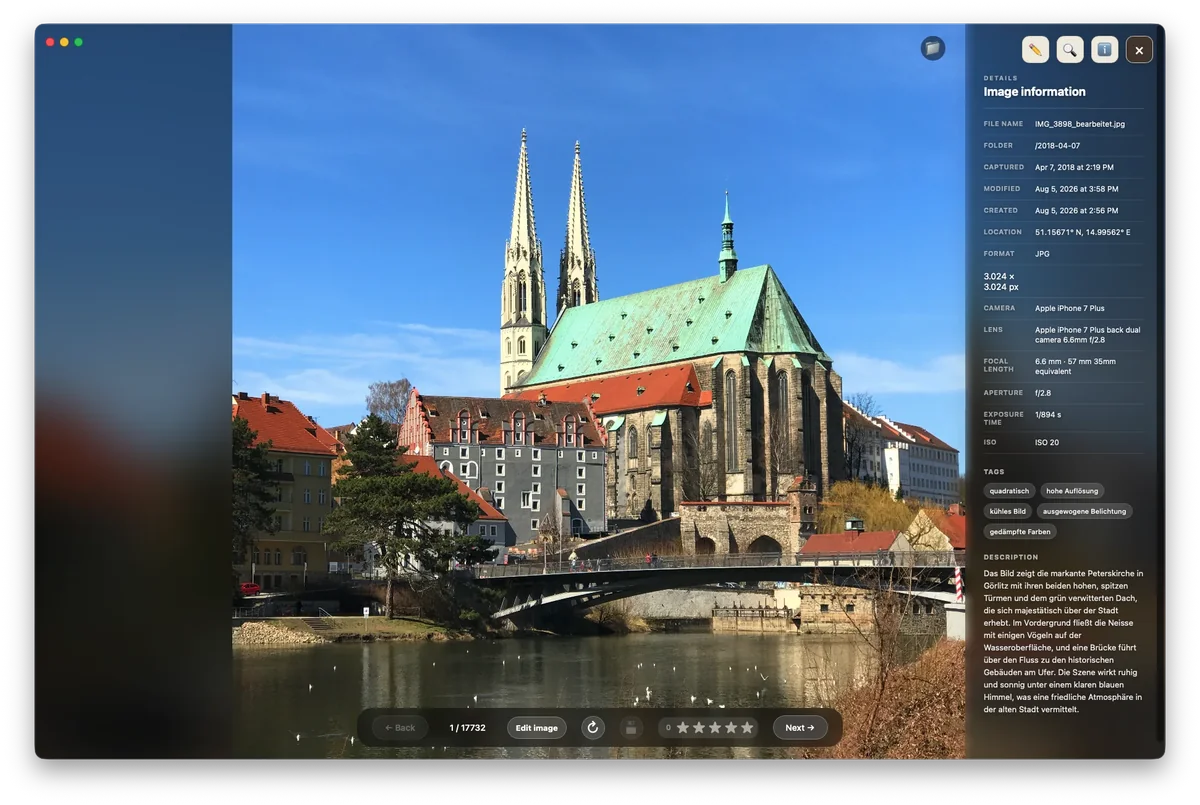
What you need: a compatible local model through Bionic, LM Studio or Ollama. AI is optional – Gatterie also works without it.
What local AI does in Gatterie
Tags and image descriptions
Tags and image descriptions make your pictures searchable.
Alt text and product copy
Draft alt text, product copy and social captions.
Review suggestions
Review and edit suggestions before accepting them.
Why local?
The model runs on your Mac, so your pictures are analysed without uploading them to a cloud service. How quickly suggestions appear depends on the model and your Mac. Use the trial to check whether a model runs smoothly for you.
AI image tagging software – not an AI photo organizer
Gatterie uses AI to suggest tags and descriptions, not to sort your files. Gatterie doesn’t move, rename or delete your files. No import, no catalog. Tags and descriptions help you search; how your folders are organized is up to you.
Try it with your own folders
The free 14-day trial works with your own folders, with no registration, email address or payment details.
Trial as a DMG, no registration or payment details · Full version as a one-time purchase, no subscription, with Family Sharing · For Macs with Apple silicon (macOS 12 or later)