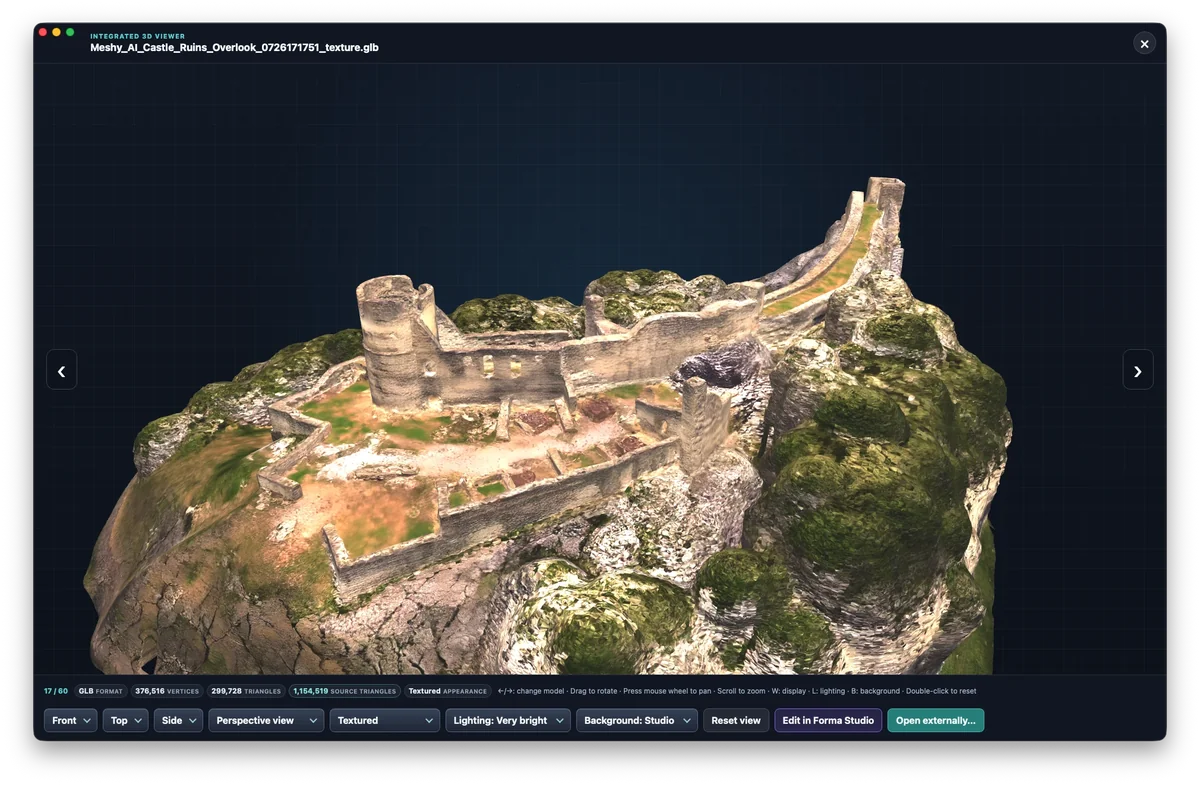
What Gatterie’s 3D viewer does
Thumbnails in your folders
Lots of models with similar names? Gatterie shows them as thumbnails, so you don’t have to open each file in your CAD app.
Rotate and zoom
Drag with the mouse to rotate the model; use the scroll wheel to zoom in or out. Existing colours and textures are shown depending on the format.
Models next to photos and PDFs
Reference photos, PDF drawings and the models of a project appear in the same folder overview.
Find models with search, tags and stars
Search file names and tags and mark the versions you like with stars.
Supported 3D formats
The integrated 3D viewer opens STL, OBJ, FBX, GLB, glTF, 3MF, DAE, PLY, 3DS and DXF. How a file is displayed depends on the format and the specific model; variants that cannot be displayed remain in the overview as a format tile. STEP files (STEP/STP) are currently not among the supported formats.
You’ll find all file types in the format overview.
Viewing, not modelling
Gatterie is for browsing your models. A good preview says nothing about whether a model is ready to print. Repairs, modelling and print preparation still happen in your slicer or CAD app.
Your folders stay as they are
Gatterie doesn’t move, rename or delete your files. No import, no catalog: it shows your folders as they are. By default, edited images are saved as a new copy; only an explicitly selected expert option can change the original, after a warning. Removing the app changes nothing in your folders.
Try it with your own models
The free 14-day trial works with your own folders, with no registration, email address or payment details. Open a folder with your STL or GLB files and decide afterwards.
Trial as a DMG, no registration or payment details · Full version as a one-time purchase, no subscription · For Macs with Apple silicon (macOS 12 or later)