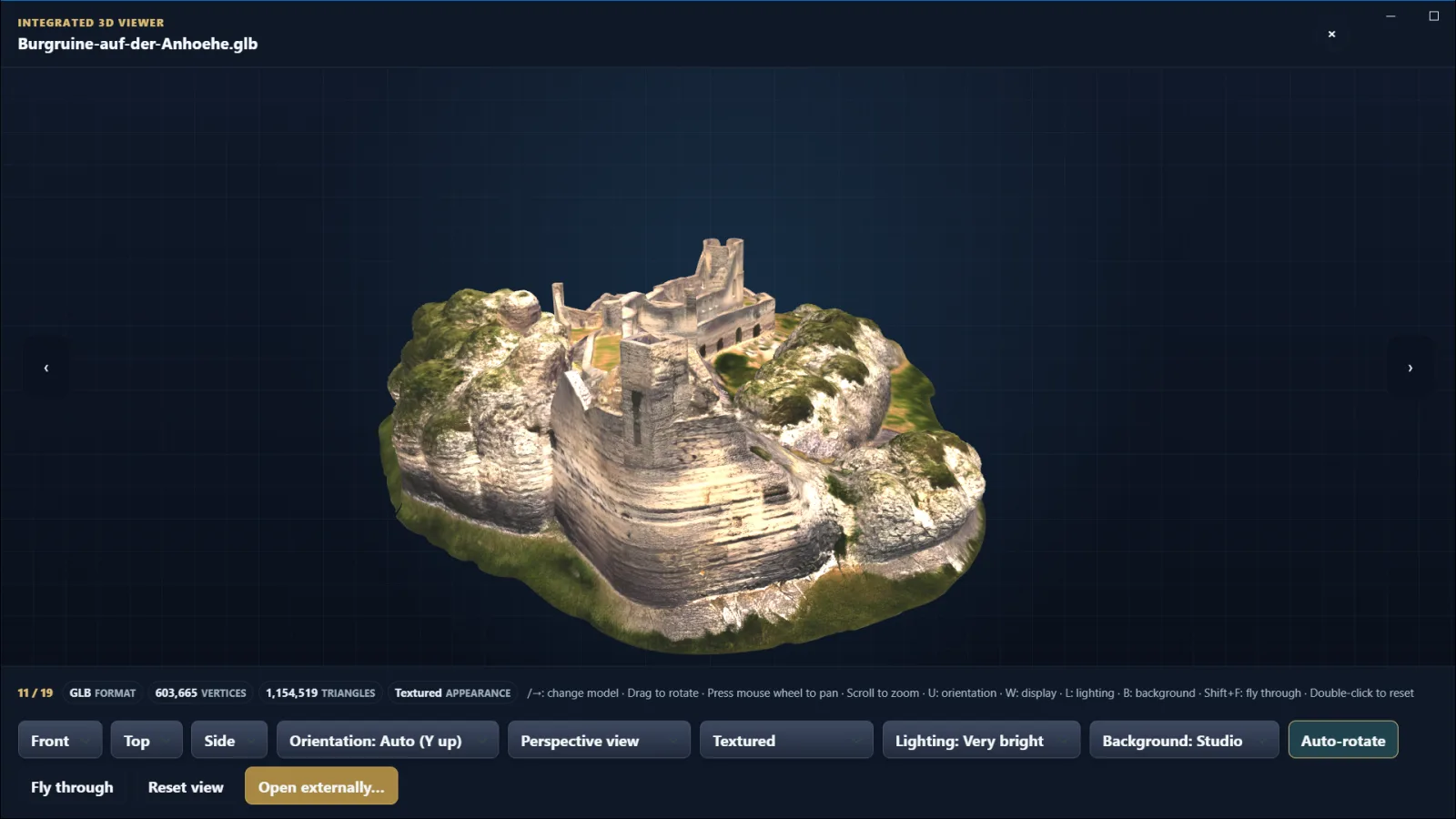
What Gatterie’s 3D viewer does
Thumbnails in your folders
Lots of models with similar names? Gatterie shows them as thumbnails, so you don’t have to open each file in your CAD app.
Rotate, zoom, switch views
Drag with the mouse to rotate the model; use the mouse wheel to zoom. Front, top and side views, different display modes and lighting help you take a closer look.
Models next to photos and PDFs
Reference photos, PDF drawings and the models of a project appear in the same folder overview.
Find models with search, tags and stars
Search file names and tags and mark the versions you like with stars.
Supported 3D formats
The integrated 3D viewer opens STL, OBJ, GLB, 3MF and DXF, among others. How a file is displayed depends on the format and the specific model; variants that cannot be displayed remain in the overview as a format tile. STEP files (STEP/STP) are currently not among the supported formats.
You’ll find all file types in the format overview.
Viewing, not modelling
Gatterie is for browsing your models. A good preview says nothing about whether a model is ready to print. Repairs, modelling and print preparation still happen in your slicer or CAD app.
Your folders stay as they are
Gatterie doesn’t move, rename or delete your files. No import, no catalog: it shows your folders as they are – the same ones you see in File Explorer. The Windows version saves edited images as a new copy next to the original; it currently has no option that changes the original. Removing the app changes nothing in your folders.
Try it with your own models
The free trial in the Microsoft Store works with your own folders. Pick a folder with your STL or GLB files and decide afterwards. The full version is a one-time purchase with no subscription.
Trial and purchase through the Microsoft Store · Full version as a one-time purchase, no subscription · For Windows 10 (version 1809 or later) and Windows 11, 64-bit (x64)